How to Create Your First n8n Workflow: Step-by-Step Guide for Beginners

Want to automate repetitive tasks without spending hours writing custom code?
Learning how to create your first n8n workflow is a great place to start.
n8n is a powerful workflow automation platform that allows you to connect applications, APIs, databases, webhooks, and business tools to create automated processes. Its visual workflow builder makes it possible to start building automations without being an advanced programmer.
For example, you could automate a process such as:
Website Form → n8n → Google Sheets → Email Notification
Instead of manually copying leads from one system to another, n8n can move the information automatically.
In this step-by-step n8n workflow tutorial, you'll learn how to create your first automation, understand triggers and nodes, test your workflow, use external integrations, and eventually run n8n on reliable hosting.
If you want to skip the complexity of installing and maintaining your own server, we'll also explain how managed n8n hosting can help you get started faster.
What Is n8n?
n8n is a workflow automation platform designed to connect different applications and services.
A workflow consists of individual nodes connected together. Each node performs a particular task, such as receiving data, modifying information, calling an API, updating a database, or sending a notification.
A basic automation might look like:
Trigger → Process Data → Action
For example:
New Lead → Format Lead Information → Send Email
More advanced workflows can include dozens of steps, conditional logic, API calls, databases, AI services, webhooks, and error-handling processes.
This flexibility makes n8n useful for:
- Business process automation
- Lead generation
- CRM automation
- Email marketing
- API integrations
- Data synchronization
- E-commerce automation
- Reporting
- Webhooks
- Notifications
- Content workflows
- AI automation
Why Use n8n for Workflow Automation?
Many businesses rely on several different applications every day.
You might use one application for your website, another for your CRM, another for email marketing, and another for reporting.
Without automation, employees may have to manually transfer information between these systems.
n8n can connect these systems and automate the repetitive work.
For example:
Website Form
↓
n8n Webhook
↓
Validate Lead
↓
CRM
↓
Google Sheets
↓
Sales Notification
Once properly configured, this process can run automatically whenever a new lead arrives.
That's the core idea behind n8n automation: connect your tools and let workflows handle repetitive processes.
How to Create Your First n8n Workflow
Let's build a simple workflow step by step.
For this tutorial, we'll use a Manual Trigger and an Edit Fields node. This keeps the workflow simple while teaching the fundamentals you'll need for more advanced automations.
Step 1: Get Access to n8n
Before creating a workflow, you need access to an n8n installation.
You have several options.
You can:
- Install n8n yourself.
- Use an n8n cloud service.
- Choose managed n8n hosting.
Self-hosting can provide flexibility, but it also means dealing with server configuration, updates, security, backups, SSL, monitoring, and other infrastructure tasks.
If you want a simpler approach, managed n8n hosting can provide a ready-to-use environment.
Gen X Web Hosting offers pre-installed and configured n8n hosting, allowing users to focus on building automations instead of spending time setting up the underlying server.
👉 Explore Gen X Web Hosting n8n Hosting
Step 2: Create a New n8n Workflow
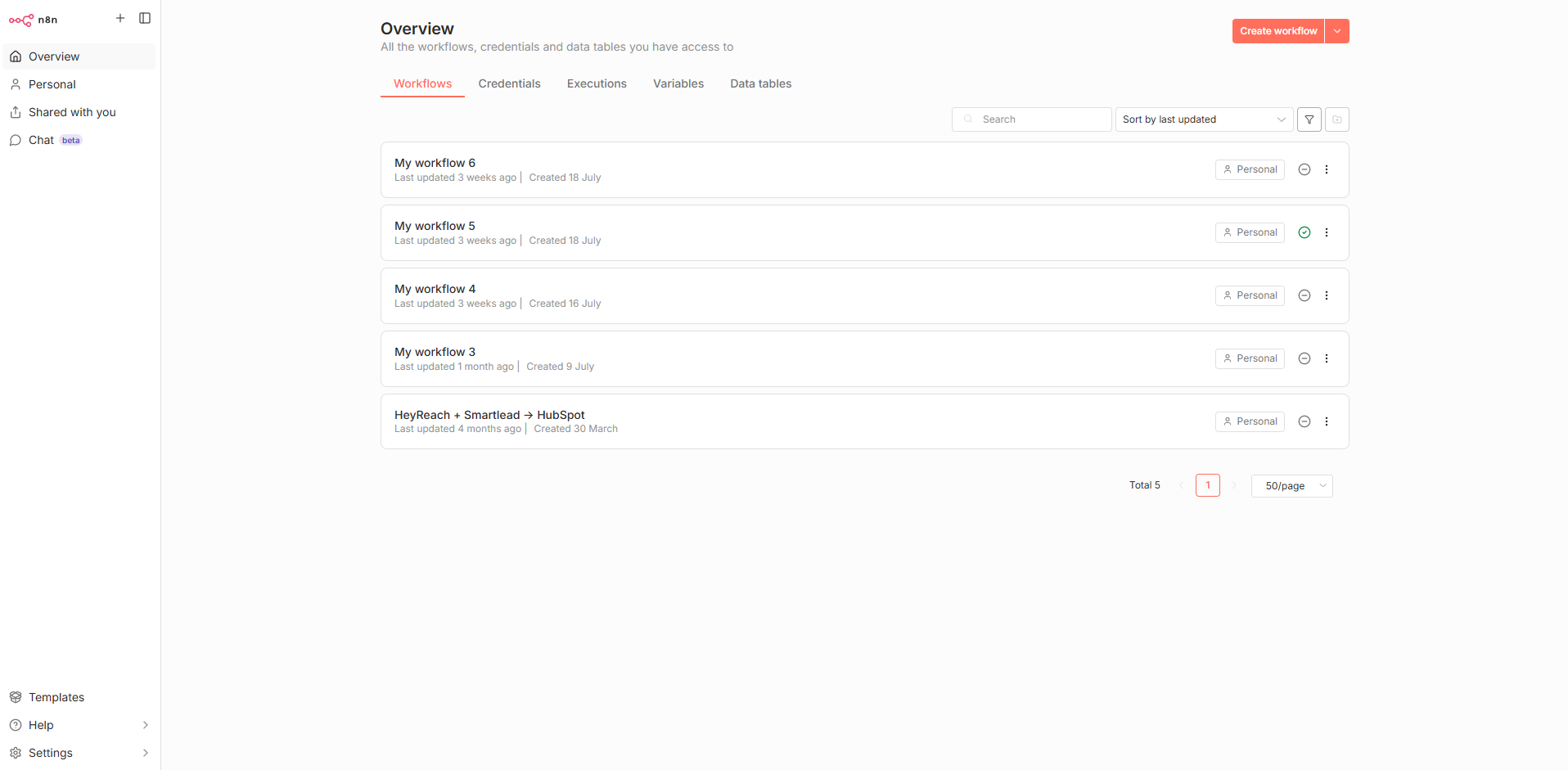
Once you're inside n8n, open the workflow editor and create a new workflow.
You'll see a visual canvas.
This is where you'll build your automation.
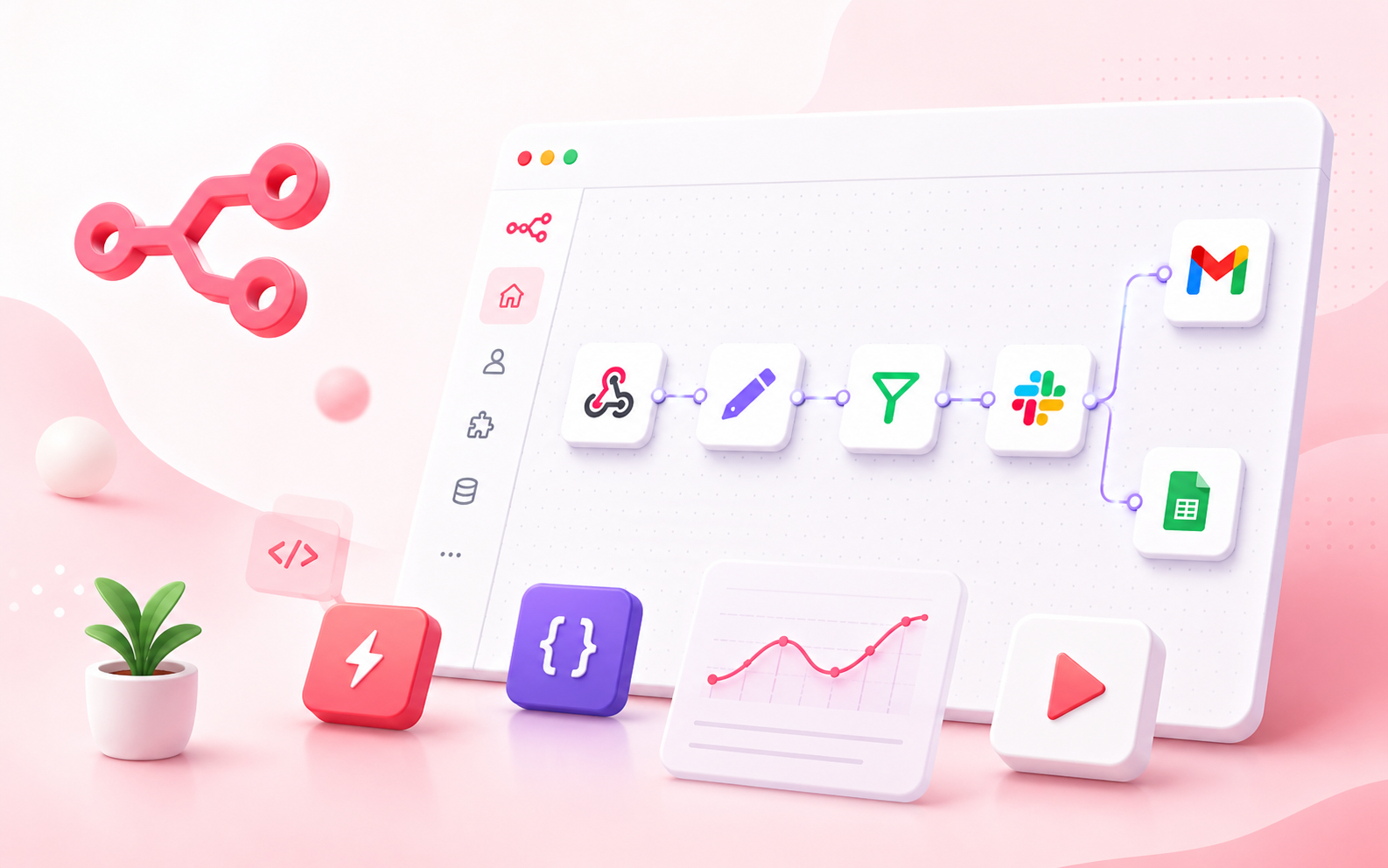
Think of the workflow canvas as a flowchart. Each node represents a task, and the lines between nodes determine how information moves through your automation.
For your first workflow, don't worry about creating anything complicated.
We'll start with just two nodes.
Step 3: Add a Manual Trigger
The first node in your workflow determines how the workflow starts.
Click the option to add a node and search for:
Manual Trigger
Select it and add it to the canvas.
Your workflow now has its first step.
Why use a Manual Trigger?
A Manual Trigger is perfect for learning because you control when the workflow executes.
You don't need to wait for a scheduled event or send a webhook request.
You simply run the workflow whenever you want to test it.
Your workflow currently looks like:
Manual Trigger
That's all you need for the first step.
Step 4: Add an Edit Fields Node
Now let's give our workflow some data.
Add an Edit Fields node after the Manual Trigger.
Connect the two nodes:
Manual Trigger → Edit Fields
Inside the Edit Fields node, create a field such as:
name = Your NameThen create another field:
message = Welcome to my first n8n workflow!Now your workflow contains information that can be passed to future nodes.
Step 5: Understand n8n Nodes
At this point, you've encountered one of the most important concepts in n8n: nodes.
A node is essentially one step in your automation.
Different nodes can perform different functions.
For example, you could use nodes to:
- Receive webhook requests
- Send emails
- Query databases
- Make HTTP requests
- Modify data
- Filter information
- Connect to applications
- Run JavaScript
- Create notifications
- Process files
A complete workflow is created by connecting these individual tasks.
Step 6: Execute Your First n8n Workflow
Now it's time to test your automation.
Click Execute Workflow.
n8n will run the workflow from the beginning.
The Manual Trigger will start the process, and the Edit Fields node will execute afterward.
Open the node output to inspect the resulting data.
You should see something similar to:
name: Your Name
message: Welcome to my first n8n workflow!
Congratulations!
You've successfully created and executed your first n8n workflow.
Step 7: Learn How Data Moves Through n8n
Understanding data flow is essential if you want to become proficient with n8n.
The output from one node can become the input for another.
Imagine a form submits:
Name: Sarah
Email: sarah@example.com
Company: Example Ltd
Your workflow could take that information and:
- Receive the submission.
- Validate the email.
- Add the lead to a CRM.
- Store the information in Google Sheets.
- Notify your sales team.
The data can move from node to node automatically.
This is what makes n8n more than a simple task automation tool.
Step 8: Connect an External Application
Now that you understand basic nodes, try connecting n8n to another service.
Depending on the application, you'll usually need authentication.
This could involve:
- API keys
- OAuth
- Access tokens
- Client IDs
- Client secrets
For example, a workflow might connect n8n to a CRM, spreadsheet, email service, database, or custom API.
When setting up credentials, always protect your authentication information.
Don't publish private API keys in blog posts, screenshots, public repositories, or workflow examples.
Step 9: Build a Real-World n8n Automation
Once you understand the basics, build an automation that solves an actual problem.
For example, suppose you receive leads through a website.
You could build:
Website Form
↓
Webhook
↓
Validate Lead
↓
Google Sheets
↓
CRM
↓
Email Notification
Now every new lead can be processed automatically.
Another example is automated reporting:
Schedule Trigger
↓
API Request
↓
Process Data
↓
Create Report
↓
Send Email
This is where n8n becomes particularly useful for businesses.
Step 10: Use Webhooks in n8n
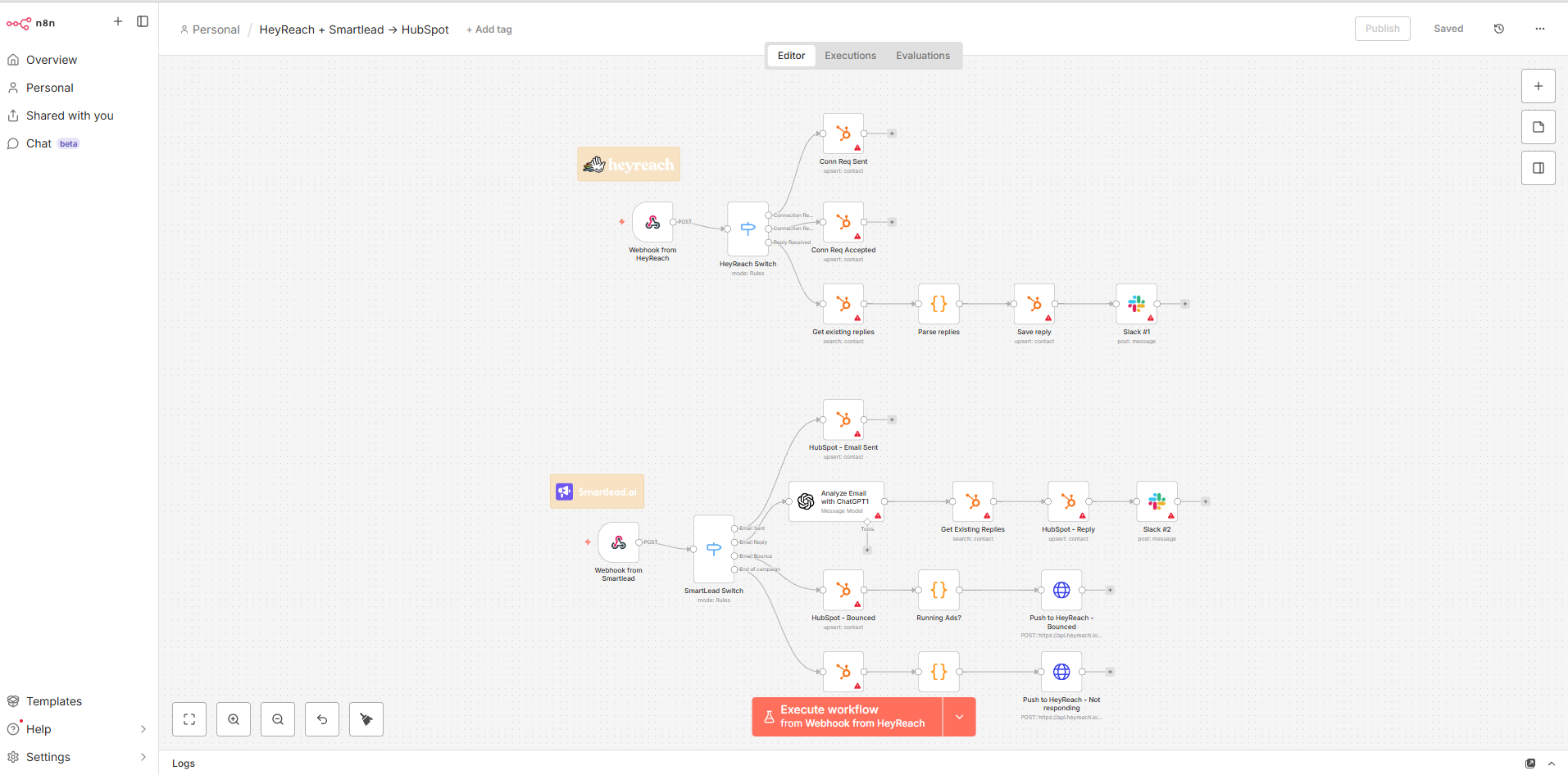
Webhooks are an important feature for real-time automation.
A webhook allows an external application to send information to your n8n workflow through an HTTP request.
For example:
E-commerce Store → Webhook → n8n → CRM
When a particular event occurs, n8n can receive the information and start the workflow.
Webhooks can be useful for:
- Contact forms
- Online orders
- Payment events
- Lead generation
- SaaS integrations
- Custom applications
- API automation
If you're building business automations, learning how webhooks work is one of the most valuable next steps after mastering basic workflows.
Step 11: Add Conditions and Workflow Logic
Not every workflow should follow the same path.
n8n allows you to introduce logic into your automations.
For example, imagine you want to classify leads.
Your workflow could be:
New Lead → Check Lead Score
Then:
High Score → Notify Sales
Low Score → Marketing Follow-Up
This type of conditional automation can help businesses reduce manual decision-making.
You can create workflows that respond differently depending on the information they receive.
Step 12: Use Schedule Triggers
Another useful n8n feature is scheduled automation.
Instead of manually executing a workflow, you can configure it to run according to a schedule.
For example:
Every Morning → Fetch Data → Process Data → Send Report
This could be used for:
- Daily reports
- Weekly summaries
- Data synchronization
- Website monitoring
- Automated notifications
- API data collection
- Recurring business tasks
Scheduled workflows are particularly useful for repetitive tasks that don't require human intervention.
Step 13: Test Your n8n Workflow
Before activating an automation, test it carefully.
A good workflow development process is:
Build → Test → Inspect → Fix → Test Again → Activate
Check the output of each node.
If a workflow fails, don't immediately change everything.
Instead, find the node where the problem occurred.
Check:
- Input data
- Output data
- Credentials
- Expressions
- API responses
- Required fields
- Node configuration
Testing one step at a time makes troubleshooting much easier.
Step 14: Activate Your Workflow
Once you've tested the automation and confirmed that everything works correctly, save and activate the workflow.
Before activating it, check:
- Are credentials configured?
- Are nodes connected correctly?
- Are expressions correct?
- Is the trigger configured?
- Is sensitive information protected?
- Have you tested realistic input?
- Have you considered what happens if an API fails?
Once you're confident, activate the workflow.
Your automation can now run according to its trigger.
Self-Hosted n8n vs managed n8n hosting
If you're planning to use n8n regularly, you'll eventually need to think about hosting.
Self-Hosted n8n
With self-hosting, you manage the infrastructure yourself.
This can provide greater control, but you may also need to manage:
- Server setup
- Installation
- Updates
- Security
- SSL
- Backups
- Monitoring
- Resource management
- Troubleshooting
For technically experienced users, this may be appropriate.
Managed n8n Hosting
Managed n8n hosting takes much of the infrastructure responsibility away from you.
Instead of spending time configuring a server, you can start with an environment prepared for n8n.
This can be particularly attractive for:
- Small businesses
- Agencies
- Freelancers
- Developers
- Automation consultants
- Startups
- Teams that don't want server administration responsibilities
Gen X Web Hosting provides managed n8n hosting with n8n pre-installed and configured. Its hosting offering also highlights features such as managed updates, OS security patches, backups, SSL, isolated environments, and dedicated resources.
Ready to run n8n without the server-management headache?
👉 Explore Gen X Web Hosting n8n Hosting
Why Choose Gen X Web Hosting for n8n?
Choosing where to host your automation platform matters.
If you're building workflows for a business, your n8n environment needs to be reliable and accessible.
Gen X Web Hosting's n8n hosting is designed for users who want a ready-to-use environment rather than configuring everything manually.
Key benefits highlighted by Gen X Web Hosting include:
- Pre-installed n8n
- Configured hosting environment
- Managed n8n updates
- OS security patches
- Backups
- SSL
- Dedicated resources
- Isolated environment
- Unlimited workflows and executions according to the hosting offering
- Support
The company also offers a free live demo, allowing prospective customers to experience the n8n environment before choosing a hosting plan.
Try n8n hosting Before You Commit
If you're unsure whether managed n8n hosting is right for you, testing a live environment can be a useful first step.
👉 Visit Gen X Web Hosting and explore the n8n hosting live demo
You can see how the service works and decide whether it fits your automation requirements.
What Can You Automate With n8n?
Once you've created your first workflow, the possibilities become much broader.
Lead Generation
Website Form → n8n → CRM → Sales Notification
Automatically process incoming leads and notify your sales team.
Email Automation
New Subscriber → n8n → Email Platform → Welcome Sequence
Create automated communication workflows.
E-commerce Automation
New Order → n8n → Inventory → CRM → Notification
Connect different parts of your e-commerce operation.
Data Synchronization
Application A → n8n → Transform Data → Application B
Keep information synchronized between systems.
Reporting
Schedule → API → Process Data → Spreadsheet → Email
Generate recurring reports automatically.
AI Automation
n8n can also be used as part of AI-powered workflows, allowing businesses to connect AI services with APIs, databases, CRMs, communication tools, and internal processes.
7 Tips for Building Better n8n Workflows
1. Start Small
Don't build a complicated workflow immediately.
Start with three or four nodes.
2. Give Nodes Descriptive Names
Use names such as "Check Lead Score" instead of leaving every node with a generic name.
3. Test Frequently
Don't wait until the entire workflow is finished before testing.
4. Inspect Your Data
When something doesn't work, check the previous node's output.
5. Protect Credentials
Keep API keys, passwords, and tokens private.
6. Plan Your Workflow First
Before adding nodes, write the process in plain language.
For example:
Receive Lead → Validate → Store → Notify
Then turn each step into a node.
7. Choose Reliable n8n hosting
If your workflows are important to your business, your hosting environment matters.
A managed n8n hosting provider can help reduce the infrastructure workload so you can focus on automation.
Your First n8n Workflow Is Just the Beginning
Learning how to create your first n8n workflow is only the first step.
Once you've mastered triggers, nodes, data mapping, credentials, webhooks, conditions, and scheduled workflows, you can start creating automations that handle real business processes.
The easiest way to learn is to build something useful.
Start with a simple repetitive task.
Automate it.
Test it.
Then gradually add more functionality.
If you don't want to spend time installing and maintaining your own n8n server, consider managed hosting.
Gen X Web Hosting provides n8n hosting with a pre-installed and configured environment, managed updates, security-related maintenance, backups, SSL, dedicated resources, and a live demo.
Ready to Start Your n8n Automation Journey?
Don't spend hours configuring a server before you've even built your first workflow.
Try the Gen X Web Hosting n8n environment and see how managed n8n hosting can simplify your automation setup.
👉 Explore n8n hosting & Try the Free Live Demo
Build your workflow. Automate repetitive work. Let your infrastructure take care of itself.
Frequently Asked Questions About n8n
1. What is n8n workflow automation?
n8n workflow automation is a way of connecting different applications, APIs, databases, and services so that repetitive tasks can be performed automatically. An n8n workflow consists of connected nodes that execute specific actions.
2. How do I create my first n8n workflow?
Start by opening an n8n instance, creating a new workflow, adding a trigger such as Manual Trigger, adding an action node, connecting the nodes, and executing the workflow. Once you understand the basics, you can add APIs, webhooks, schedules, conditions, and external applications.
3. Is n8n suitable for beginners?
Yes. n8n's visual workflow editor makes it possible to create basic automations without advanced programming knowledge. Beginners can start with simple workflows and gradually learn more advanced features.
4. Do I need coding experience to use n8n?
No. Many workflows can be created through n8n's visual interface. Coding knowledge can be helpful for advanced data processing and custom logic, but it isn't required for basic workflow automation.
5. What is n8n hosting?
n8n hosting provides a server environment where your n8n instance can run continuously. With managed n8n hosting, the provider may handle infrastructure tasks such as installation, updates, security maintenance, backups, and server configuration.
6. What is managed n8n hosting?
Managed n8n hosting is a hosting service where the provider takes care of much of the technical infrastructure required to operate n8n. This allows users to focus on creating and running workflows instead of managing the underlying server.
7. Can I self-host n8n?
Yes. n8n can be self-hosted, but you'll be responsible for managing the server environment, updates, security, backups, SSL, and other infrastructure requirements.
8. Does Gen X Web Hosting offer n8n hosting?
Yes. Gen X Web Hosting offers a managed n8n hosting service with n8n pre-installed and configured. The service also highlights features such as managed updates, security patches, backups, SSL, and dedicated resources.
9. Does Gen X Web Hosting offer an n8n live demo?
Yes. Gen X Web Hosting provides a live demo for its n8n hosting service, allowing prospective customers to explore the environment before selecting a hosting solution.
10. Who should use managed n8n hosting?
Managed n8n hosting can be useful for businesses, agencies, developers, freelancers, startups, and automation teams that want to use n8n without handling all of the underlying server-management tasks themselves.

Gen X Web Hosting
Experts in high-performance cloud infrastructure, domain management, and optimized web hosting solutions.
Visit Website open_in_new